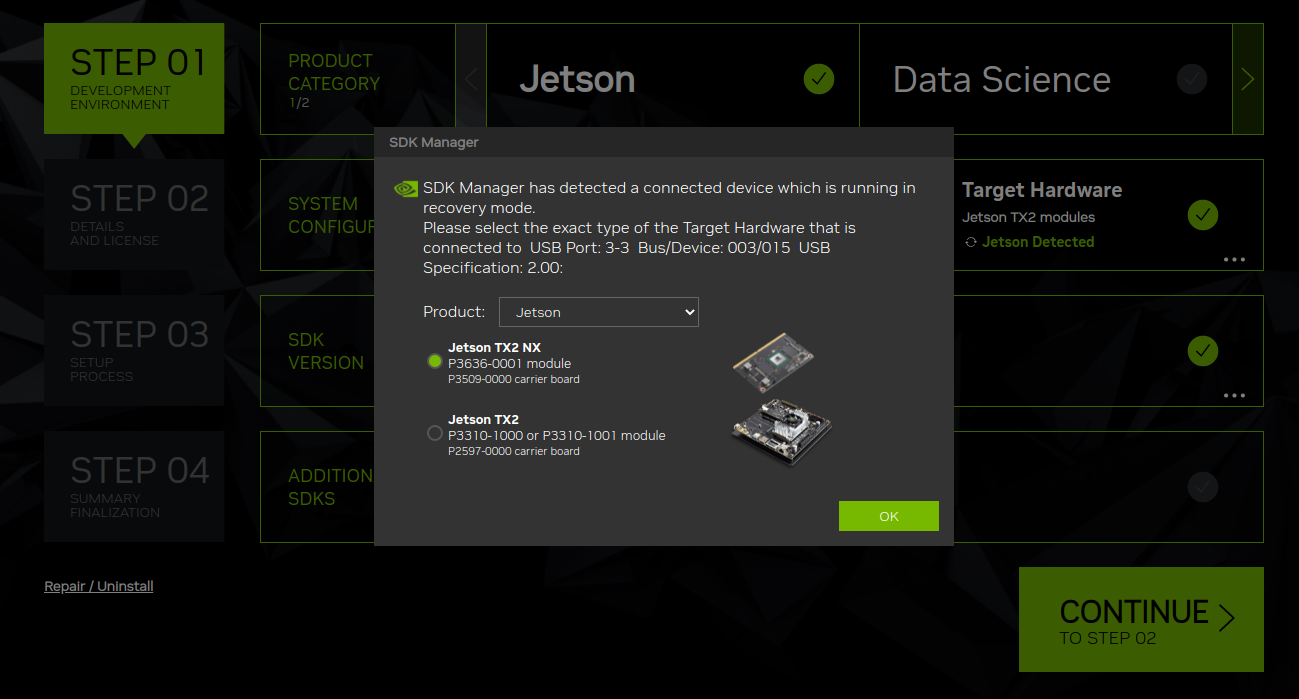
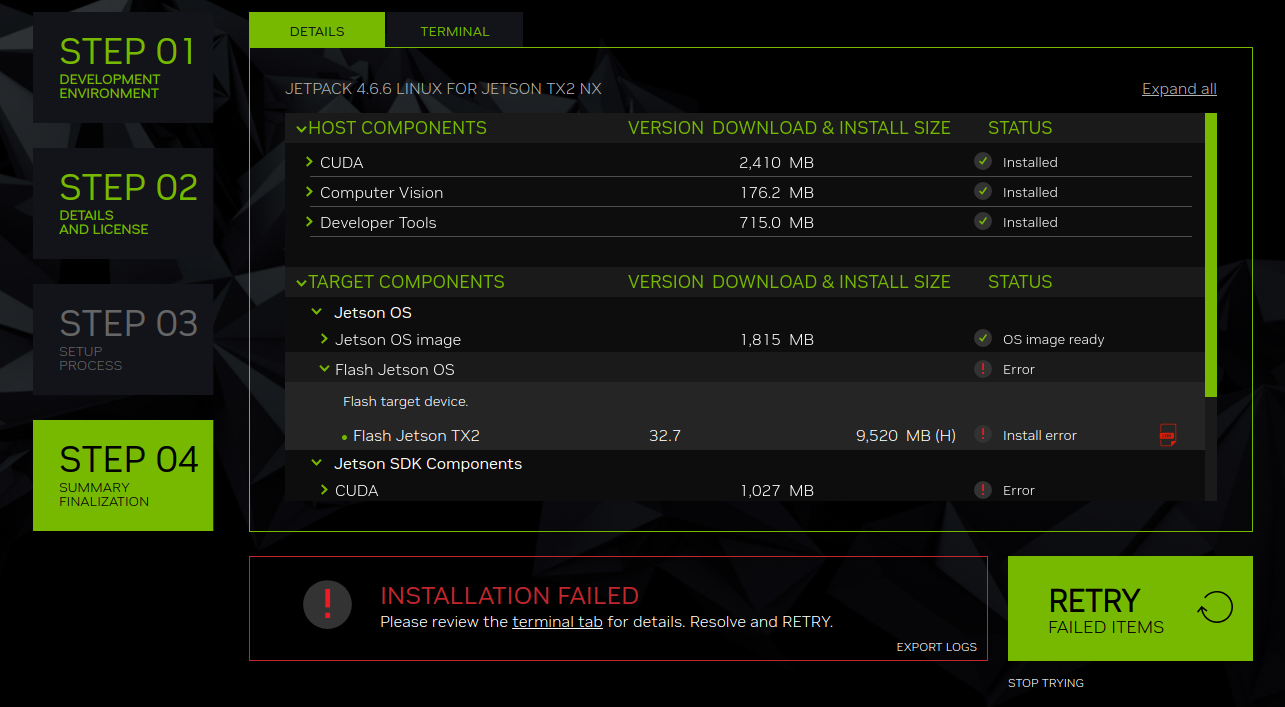
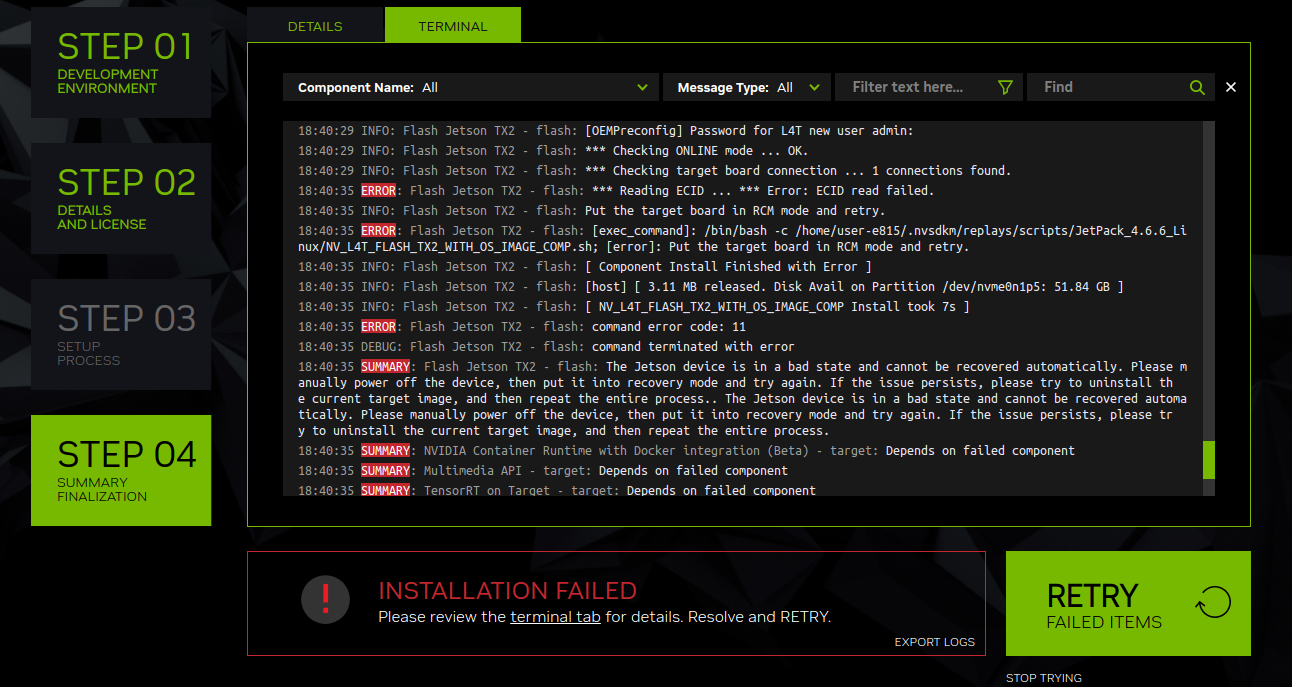
When I use SDK Manager to burn image into Jetson TX2 NX module, reporting “Error: ECID read failed”. Please help me to check why. The carrier board is designed by myself and the storage medium is eMMC5.1.
Check and try below points in sequence,
- Flash from a native Ubuntu PC, not a virtual machine; SDK Manager in a VM (VirtualBox, VMware, Parallels, etc.) is known to cause ECID/read‑ECID failures because of USB passthrough limits.
- Use a direct USB‑A‑to‑micro‑B (or C, depending on your design) cable, no hubs or extenders.
- Put the TX2 NX into forced‑recovery using your carrier’s REC and RESET circuitry (check that your design matches NVIDIA’s reference for these pins).
- On the host, run
lsusband confirm you see an NVIDIA recovery VID:PID (for TX2 NX it should match the Tegra TX2 recovery ID, not “L4T running on Tegra”). If it shows as a normal L4T device, it is not in recovery and ECID reading will fail. - Verify your carrier board supplies correct power rails and sequencing to the module (VIN, SYS_RESET, PWR_BTN, recovery pin pull‑ups, etc.) following the Jetson TX2 NX design guide; if the SoC never fully enters recovery, ECID cannot be read.
- Check that the USB‑OTG/data port wiring from the TX2 NX to the connector is correct (HS pairs, VBUS sensing, ID pin if used), and that VBUS is present when connected to the host.
- In SDK Manager, select the correct Target (TX2 NX / appropriate JetPack version) so that the correct flashing config and board ID are expected; wrong machine configs can produce similar probe/ECID errors.
- If possible, also try running
sudo ./flash.sh jetson-tx2-nx-devkit-emmc mmcblk0p1from the command line in the BSP folder and see where it stops; if logs show “probing the target board failed. Make sure the target board is connected through USB port and is in recovery mode.” it confirms a basic USB/recovery problem. - On a native Ubuntu host, make sure you run SDK Manager or
flash.shwithsudo, or install the NVIDIA udev rules so your user can access the recovery USB device. Lack of permissions can also look like ECID read failures.